

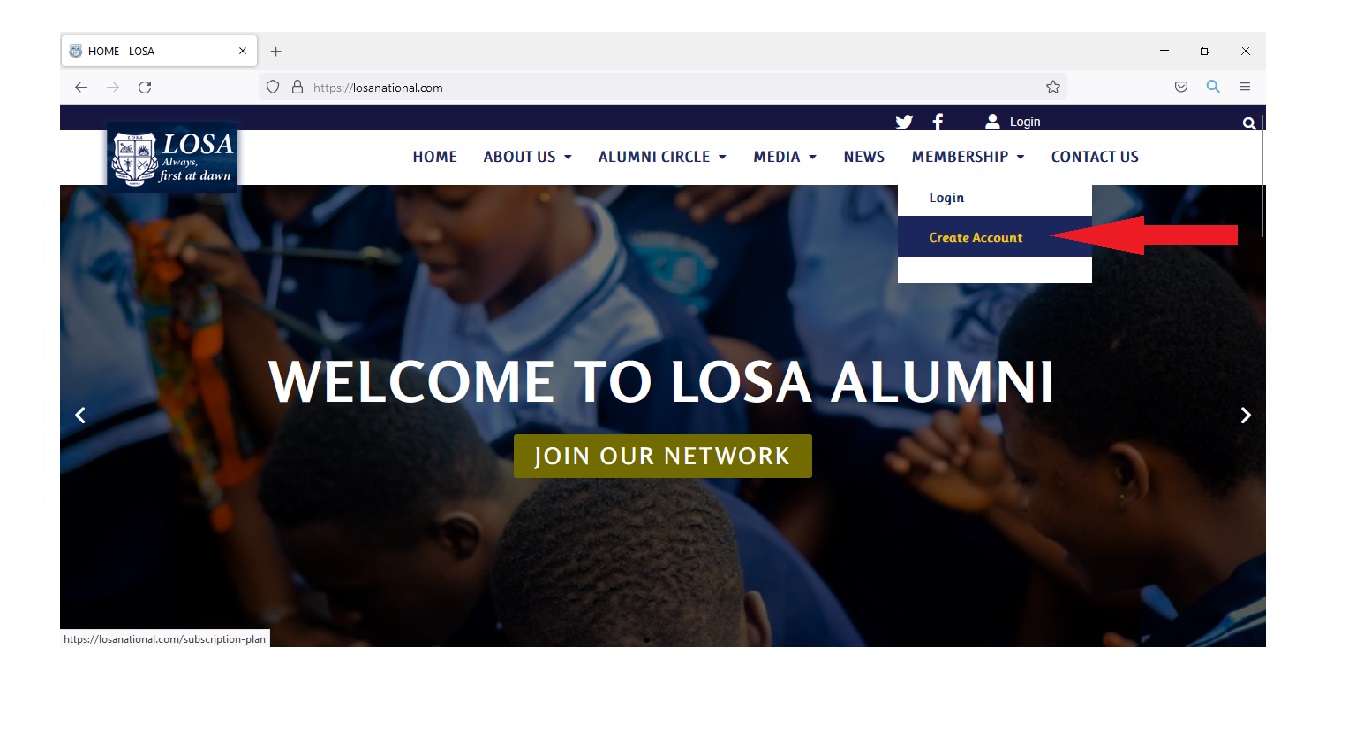
Step 1
Click on "JOIN OUR NETWORK" on the HOMEPAGE (www.losanational.com). You can also click on "MEMBERSHIP" on the menu and then click "Create account" .
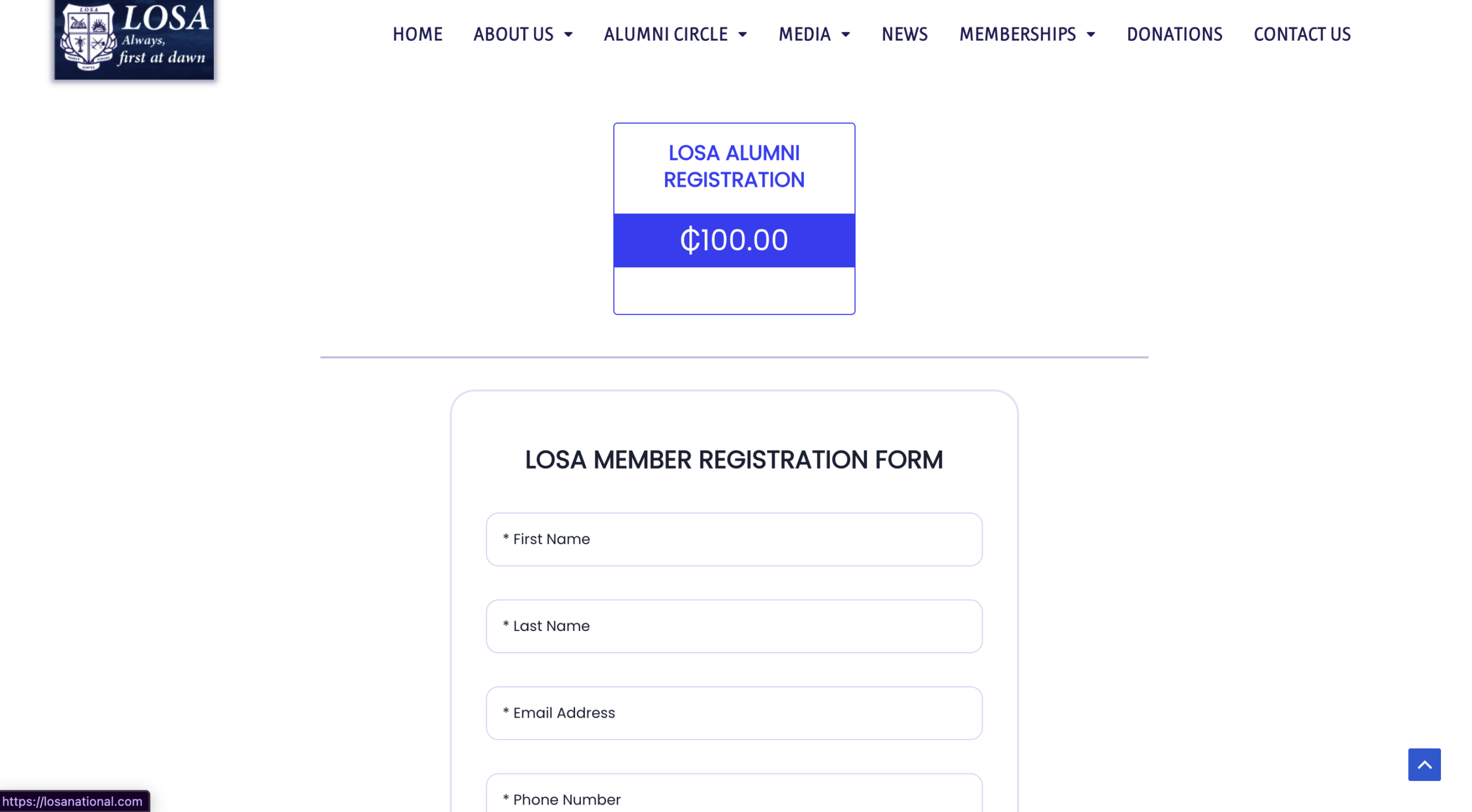
Step 2
Complete the Registration Form
Head over to the Alumni Registration Page.
Fill in your personal details, as well as uploading a professional-looking passport photo for your ID card. Choose a secure password—you will use this to log into the portal moving forward.
Necessary Requirements
1. Names and telephone numbers of two members of your year group to serve as references.
2. A passport-sized photograph for the ID card. (pdf, png, jpeg) Max size: 2mb
3. A minimum balance of GHC100 in your bank or mobile money account.
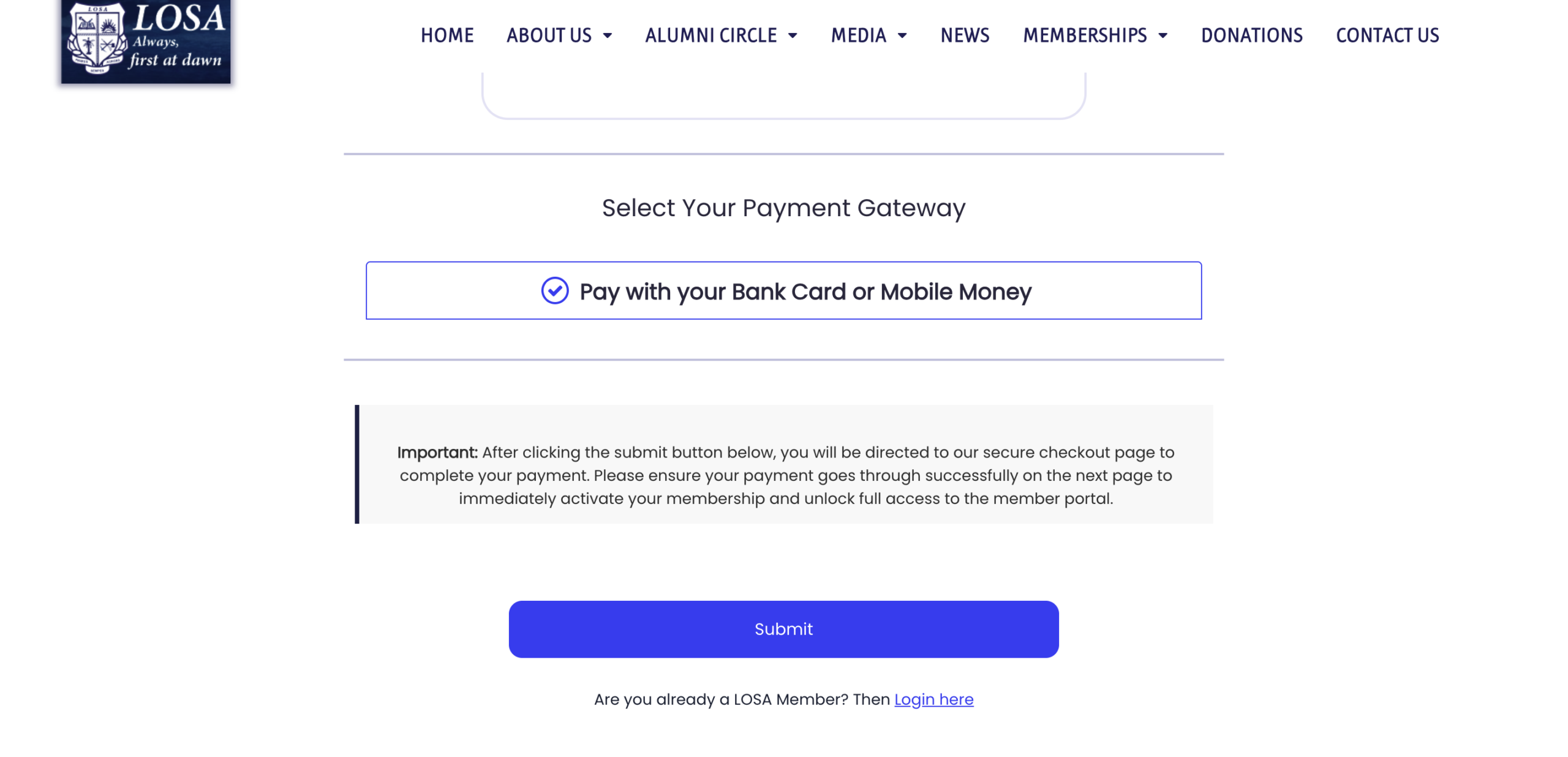
Step 3
Scroll down to the bottom of the page and click "Submit"
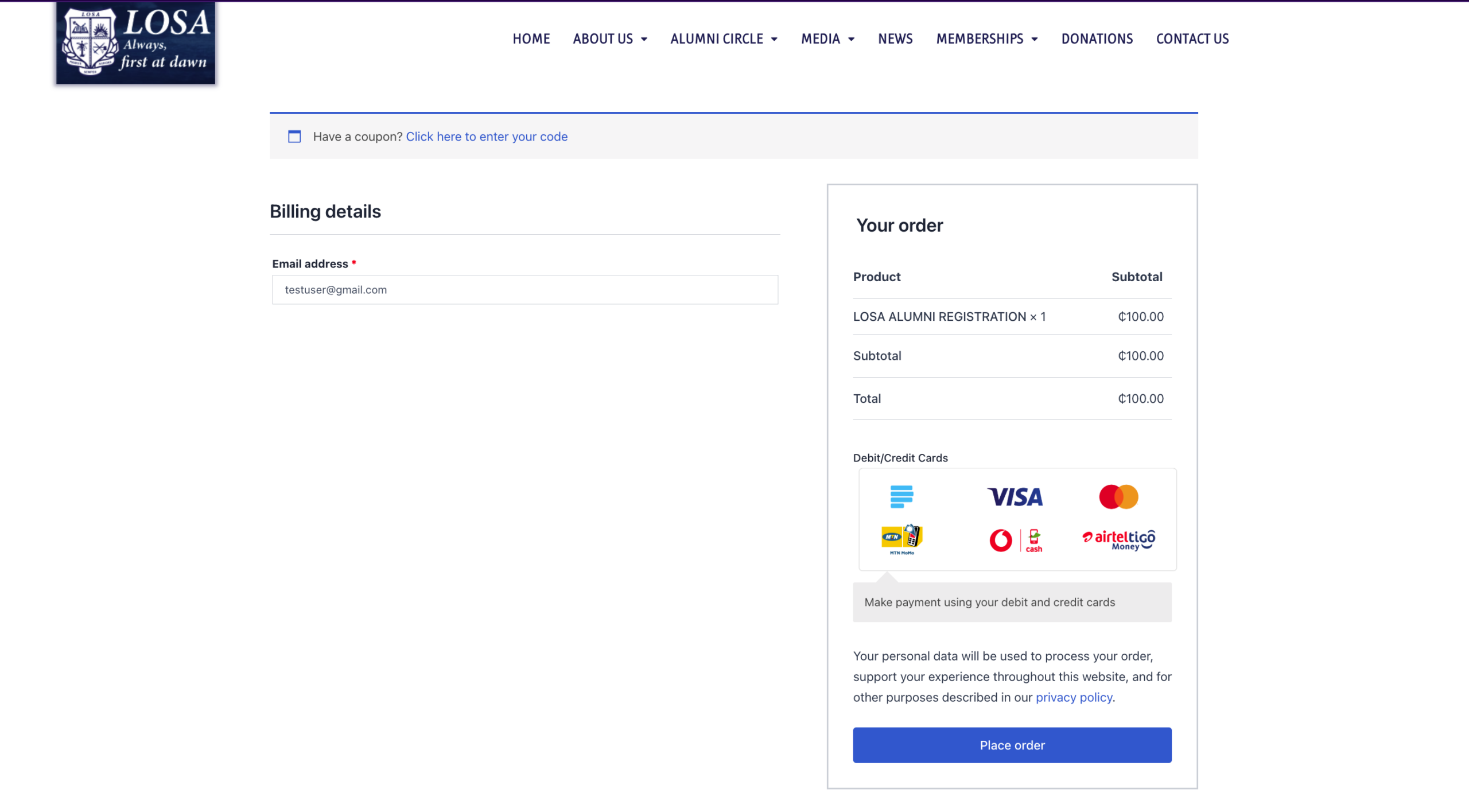
Step 4
After clicking the submit button, you will be directed to our secure checkout page to complete your payment. Click on the "Pay" button.
Please ensure your payment goes through successfully on the next page to immediately activate your membership and unlock full access to the member portal.
For International LOSA Members: If you are paying from outside Ghana, please do not use the checkout below as it may decline your card.
To complete your registration, please contact us at +233249113750.
We will manually activate your account immediately after payment is arranged.
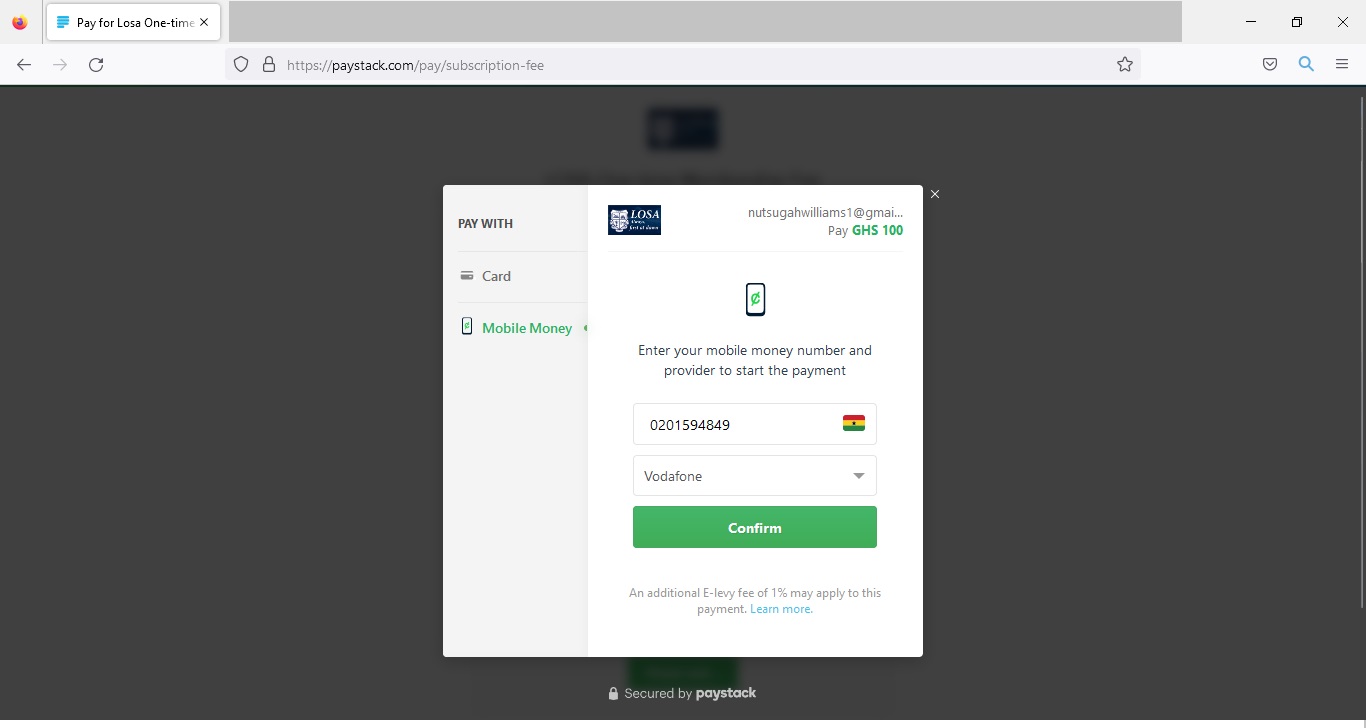
Step 5
Select either Card or Mobile Money, enter your information and click "Confirm".
PLEASE NOTE: Only Ghana Bank cards are accepted.
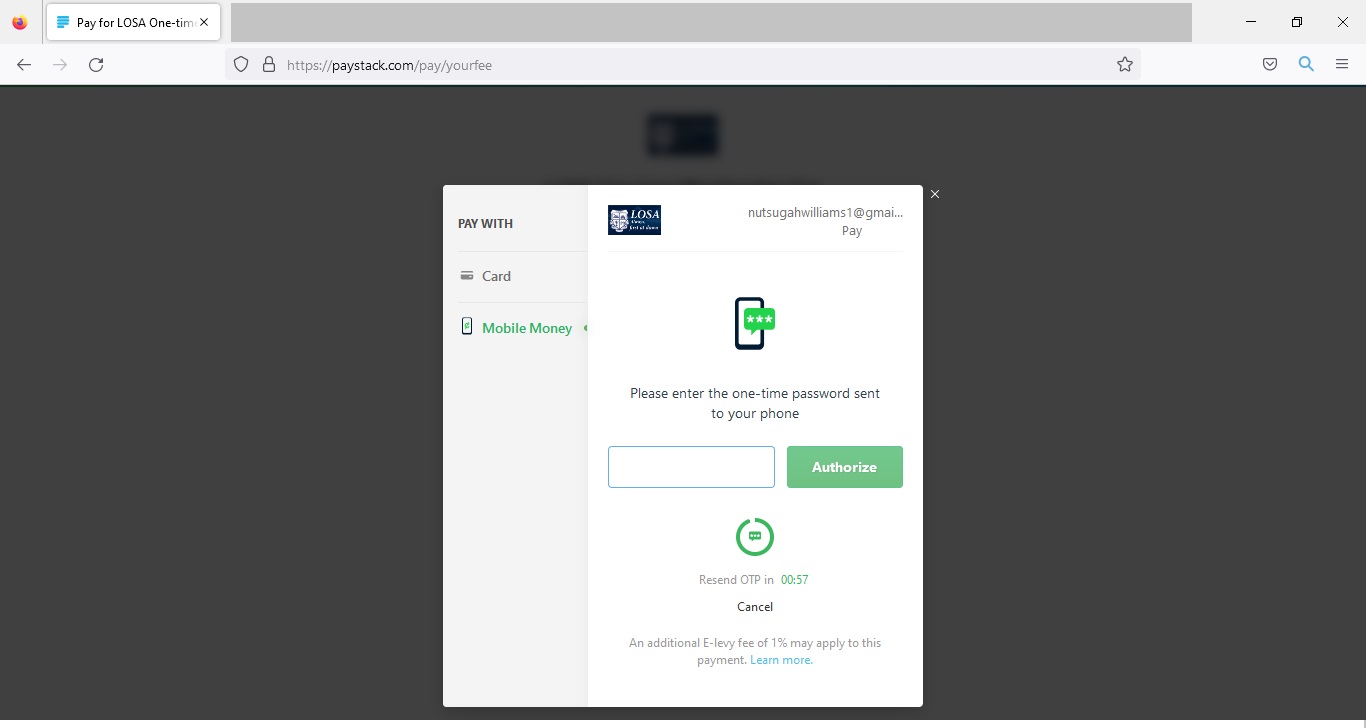
Step 6
Enter the OTP code sent to your phone and click "Authorize"
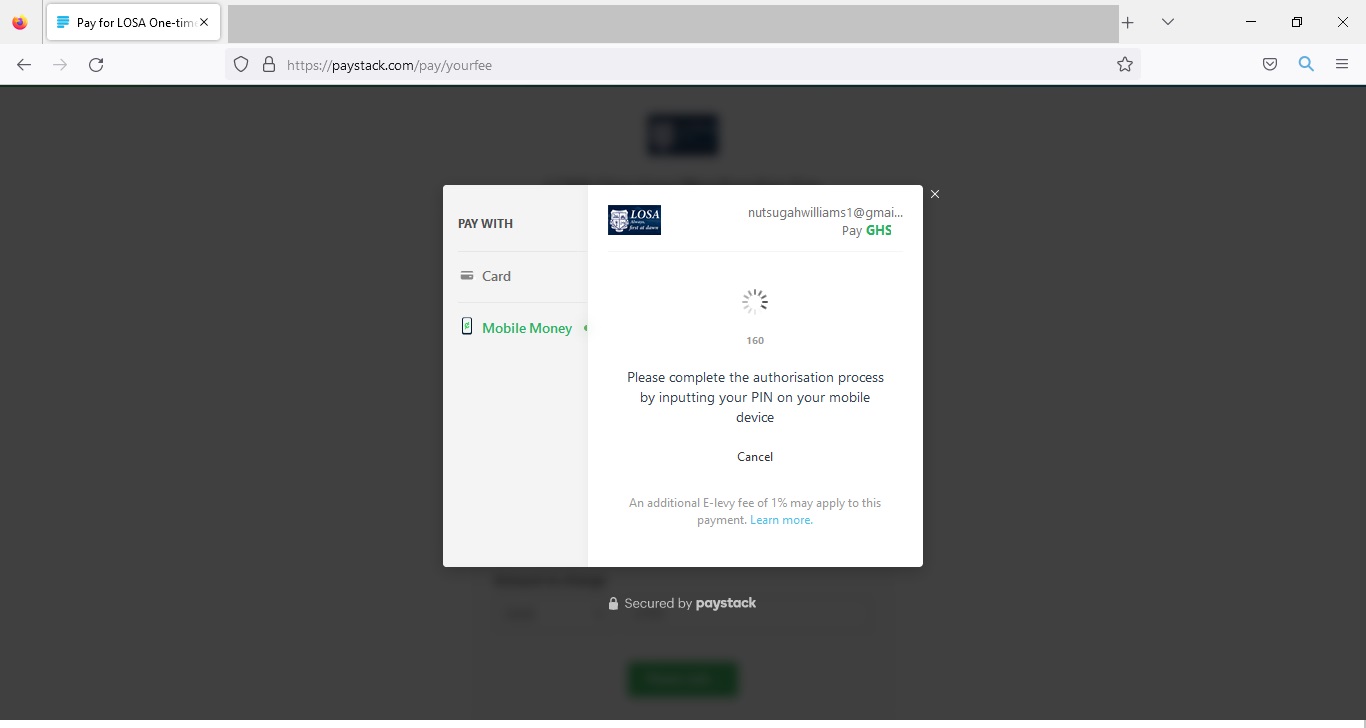
Step 7
Wait for Authorization.
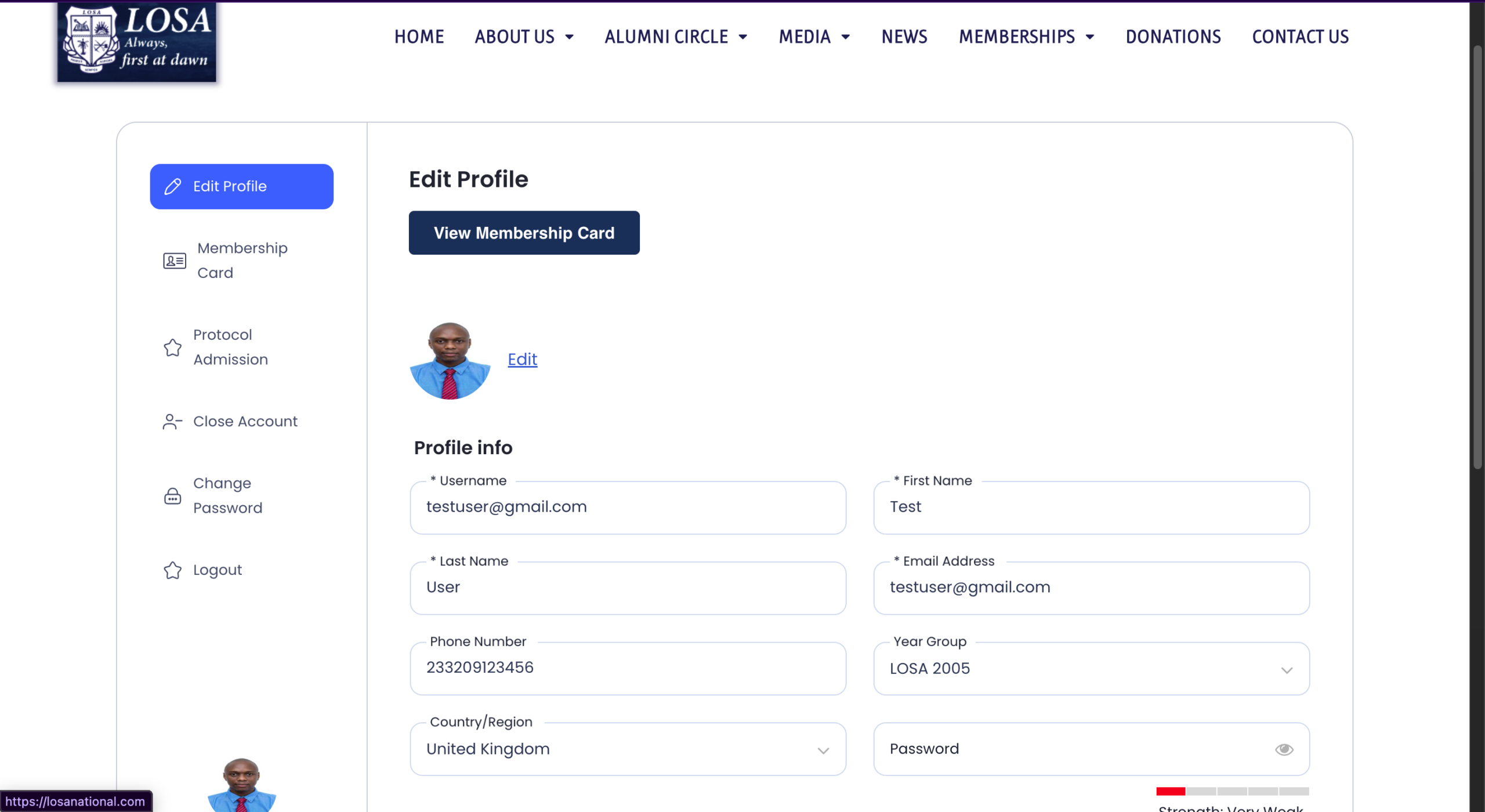
Step 8
Once the transaction is successful, your account status instantly activates, and you will be automatically redirected to your brand-new LOSA member panel
Step 9
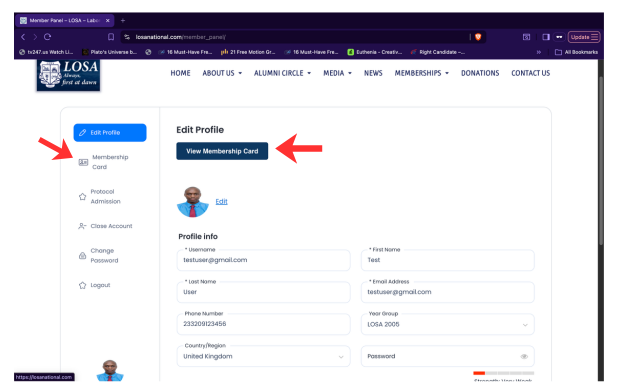
Click on the 'View Membership Card' button in the 'Edit Profile' pane on the 'Membership Card' tap on the left side panel to view your LOSA Membership Card.
Note: The photo you use for the registration is what will be used for the ID card so please upload a professional looking photo of yourself.
Step 10
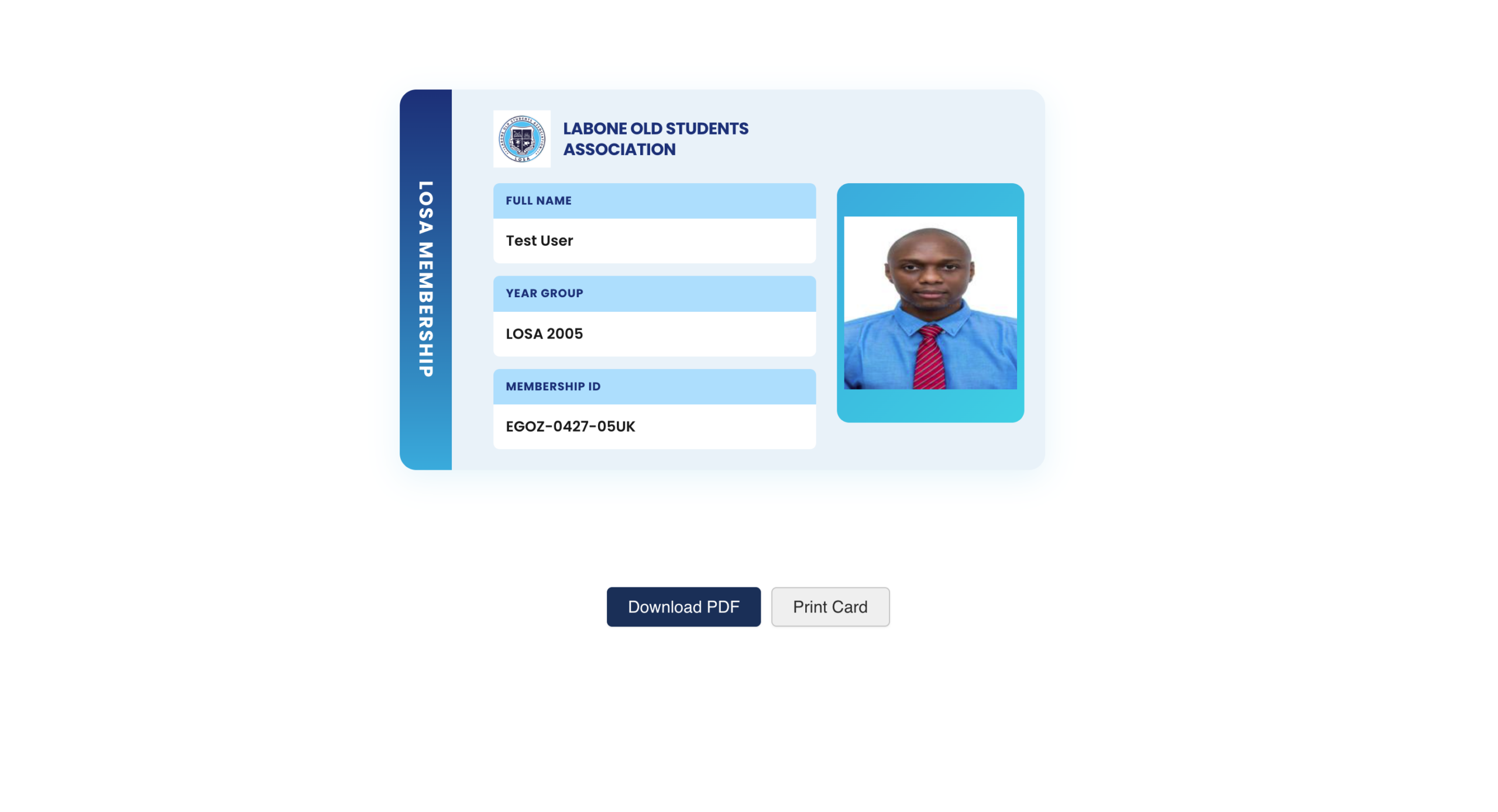
Once you click the "View Membership" button and a new window opens, you can download your LOSA Membership card as a PDF or Print it.
Note: When printing your card, some web browsers may disable "Background Graphics" by default, which can cause the colors to appear stripped or white. To ensure your card prints correctly, please check the "Print backgrounds" or "Background graphics" checkbox in your print dialog settings before confirming.
Important
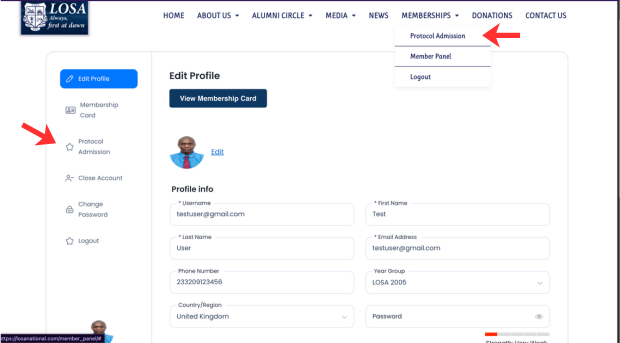
To access the Protocol Admission Form, make sure you are logged in to your LOSA member account and click on the 'Protocol Admission' tab on the side panel or the 'Protocol Admission' submenu under the Membership menu item