
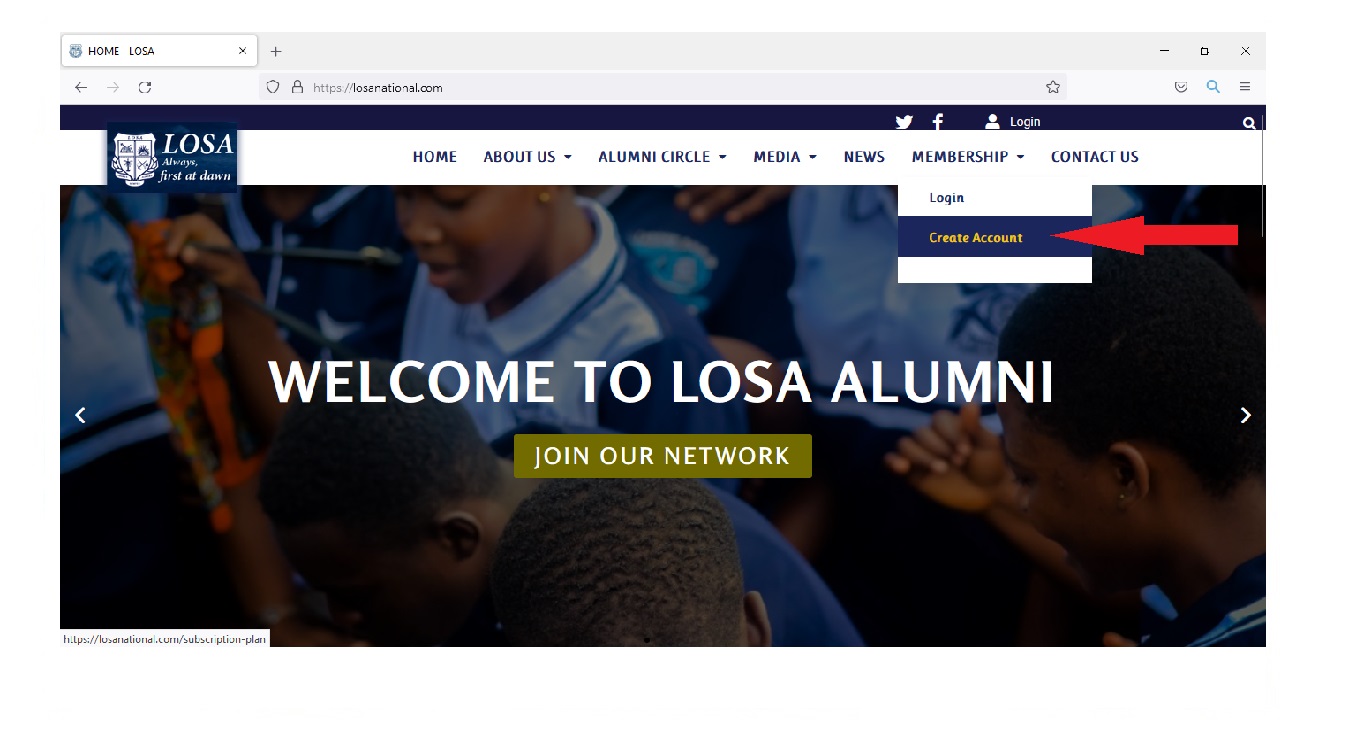
Step 1
Click on "JOIN OUR NETWORK" on the HOMEPAGE (www.losanational.com). You can also click on "MEMBERSHIP" on the menu and then click "Create account" .
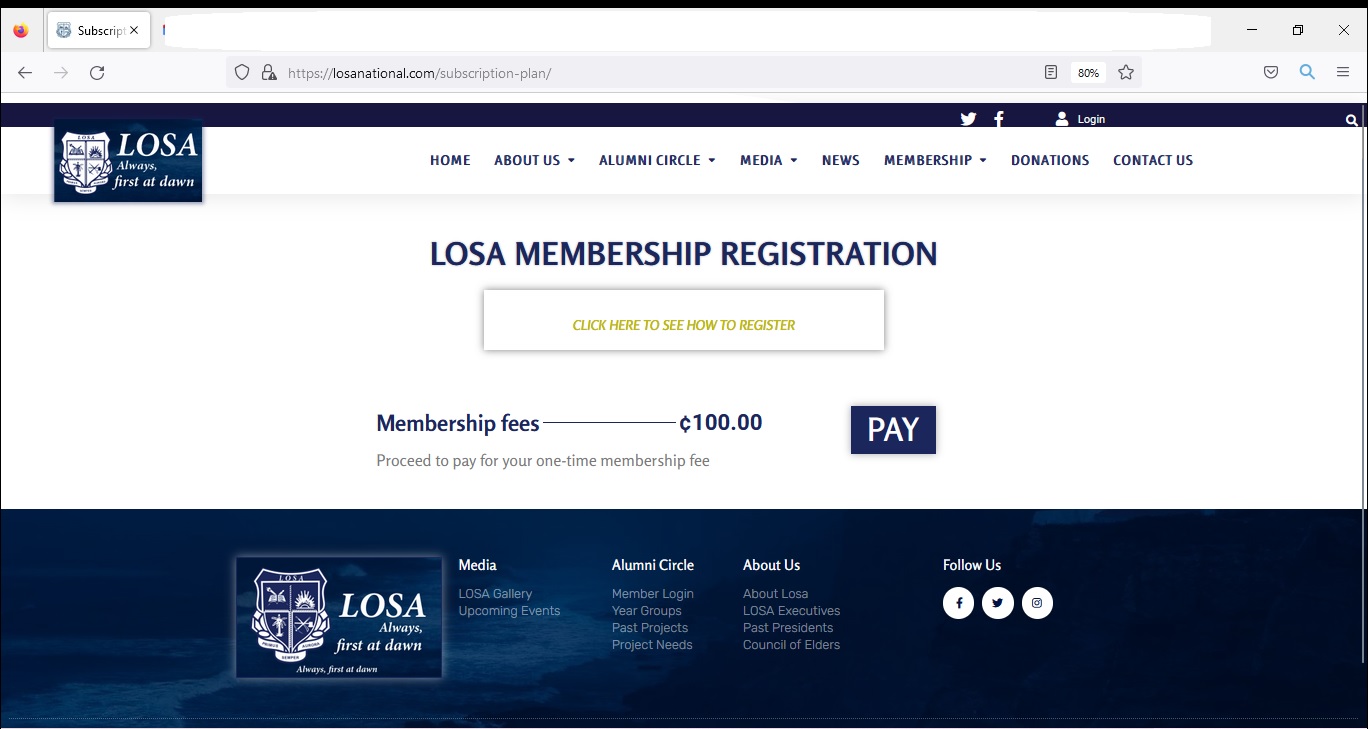
Step 2
Click on PAY button
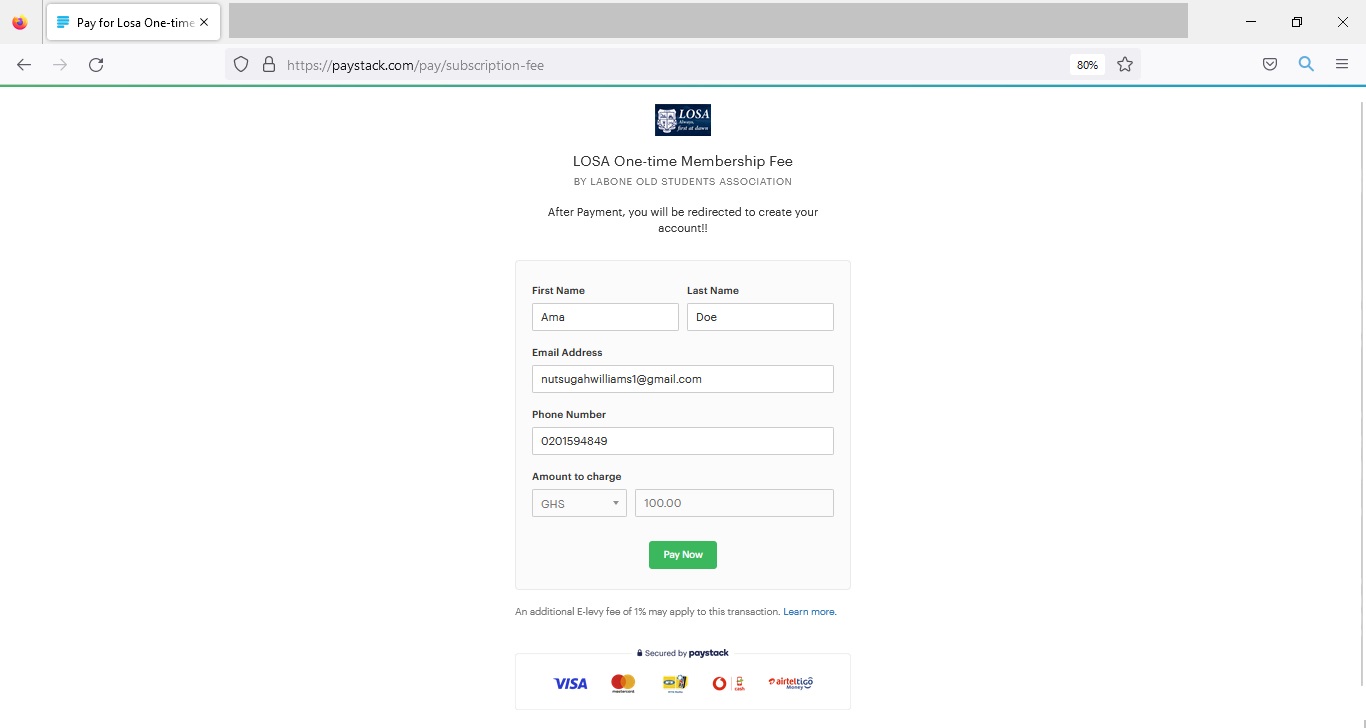
Step 3
Enter your PAYMENT DETAILS and Click on "Pay Now".
PLEASE NOTE: Only Ghana Bank cards are accepted.
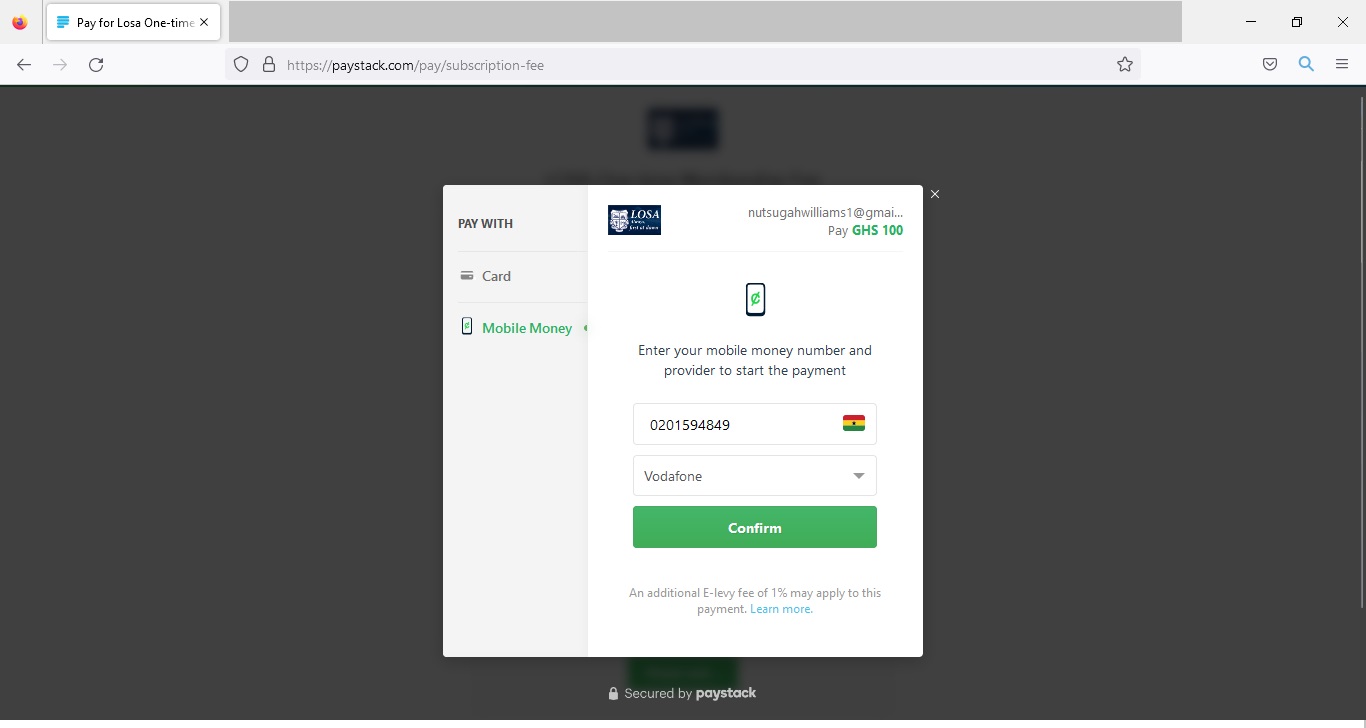
Step 4
Select either Card or Mobile Money, enter your information and click "Confirm".
PLEASE NOTE: Only Ghana Bank cards are accepted.
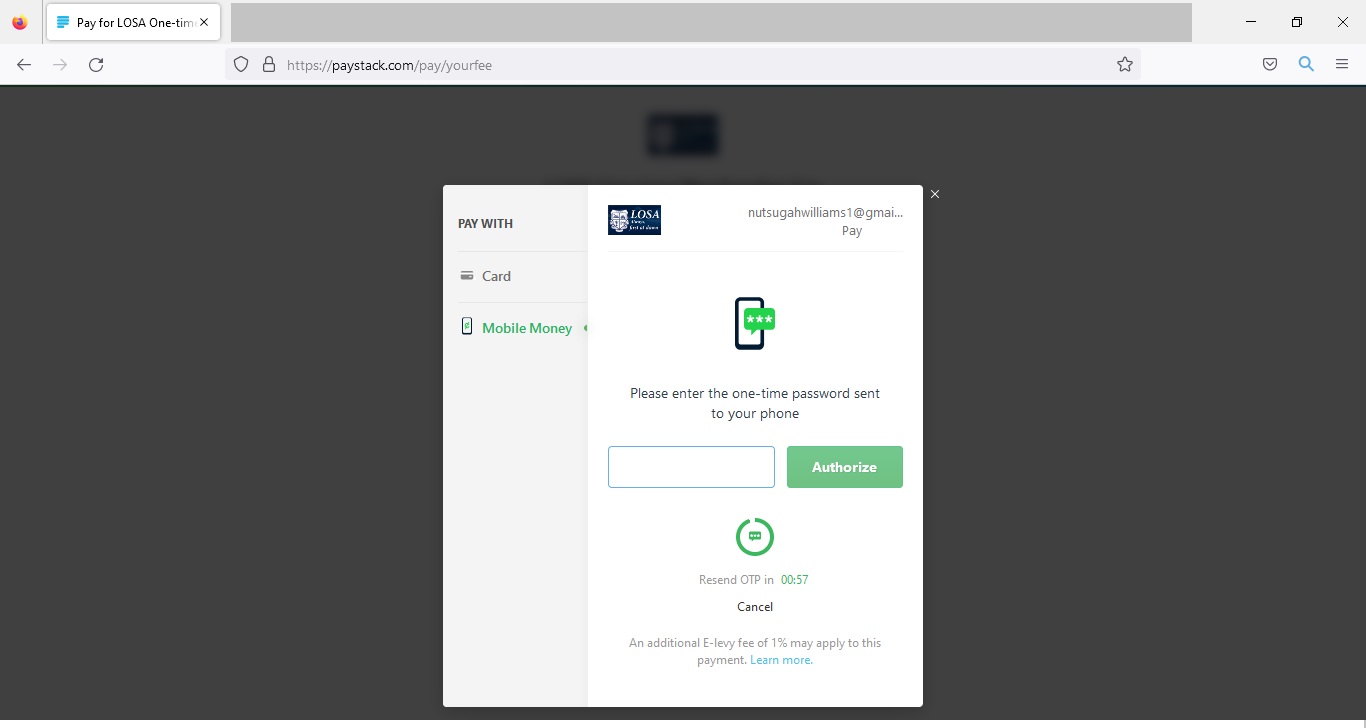
Step 5
Enter the OTP code sent to your phone and click "Authorize"
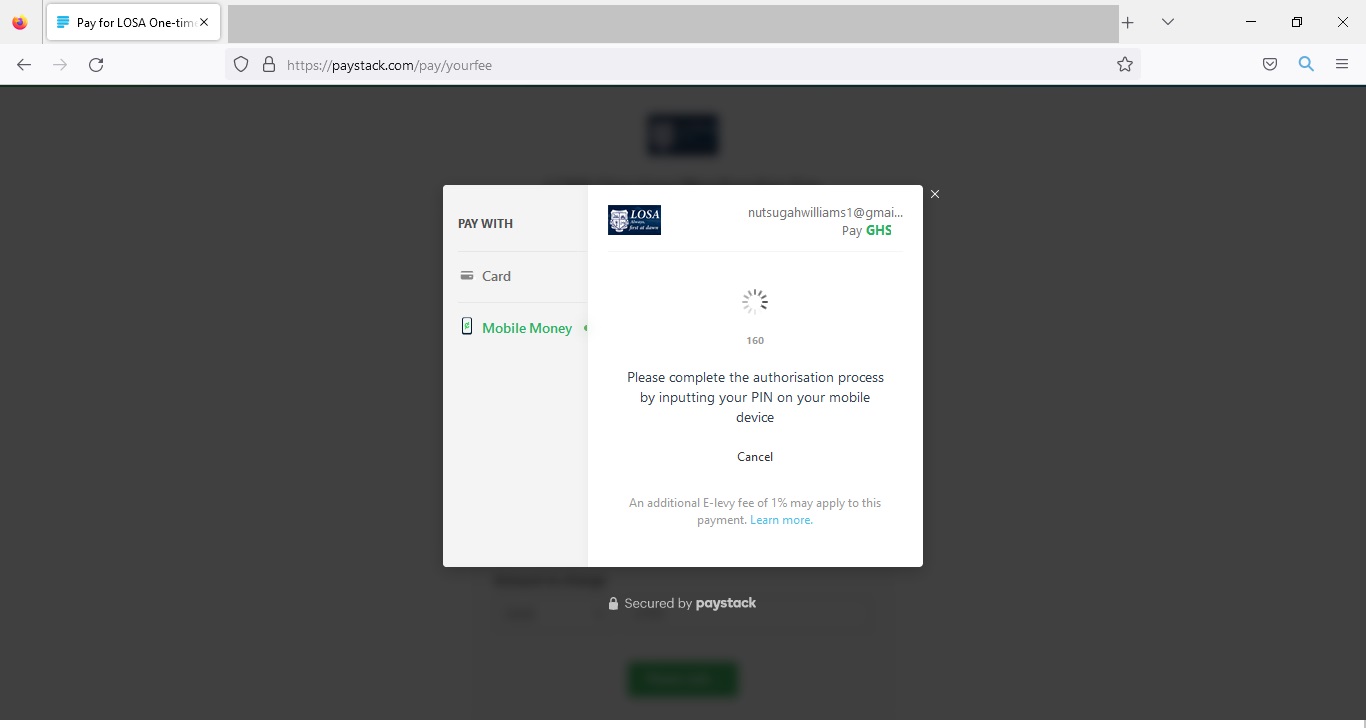
Step 6
Wait for Authorization.
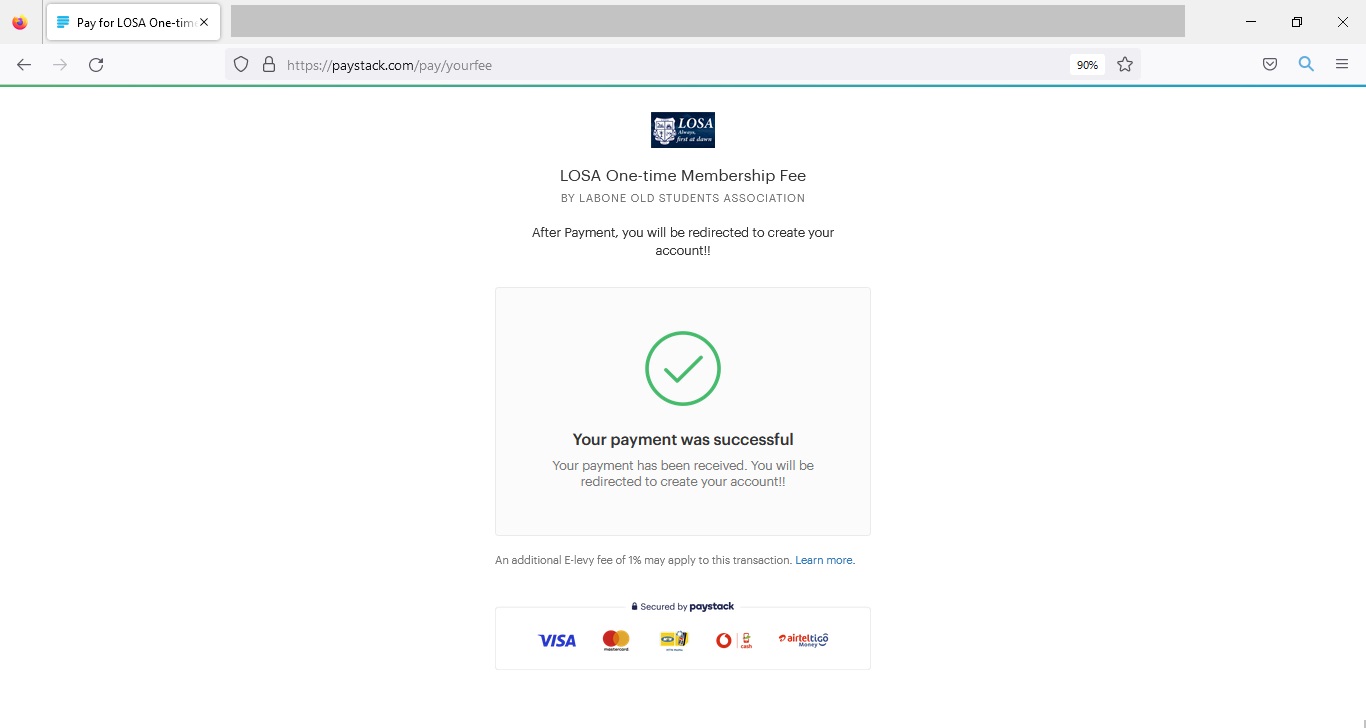
Step 7
After a successful payment, you will see this page and then be redirected to LOSA Website to create your account.
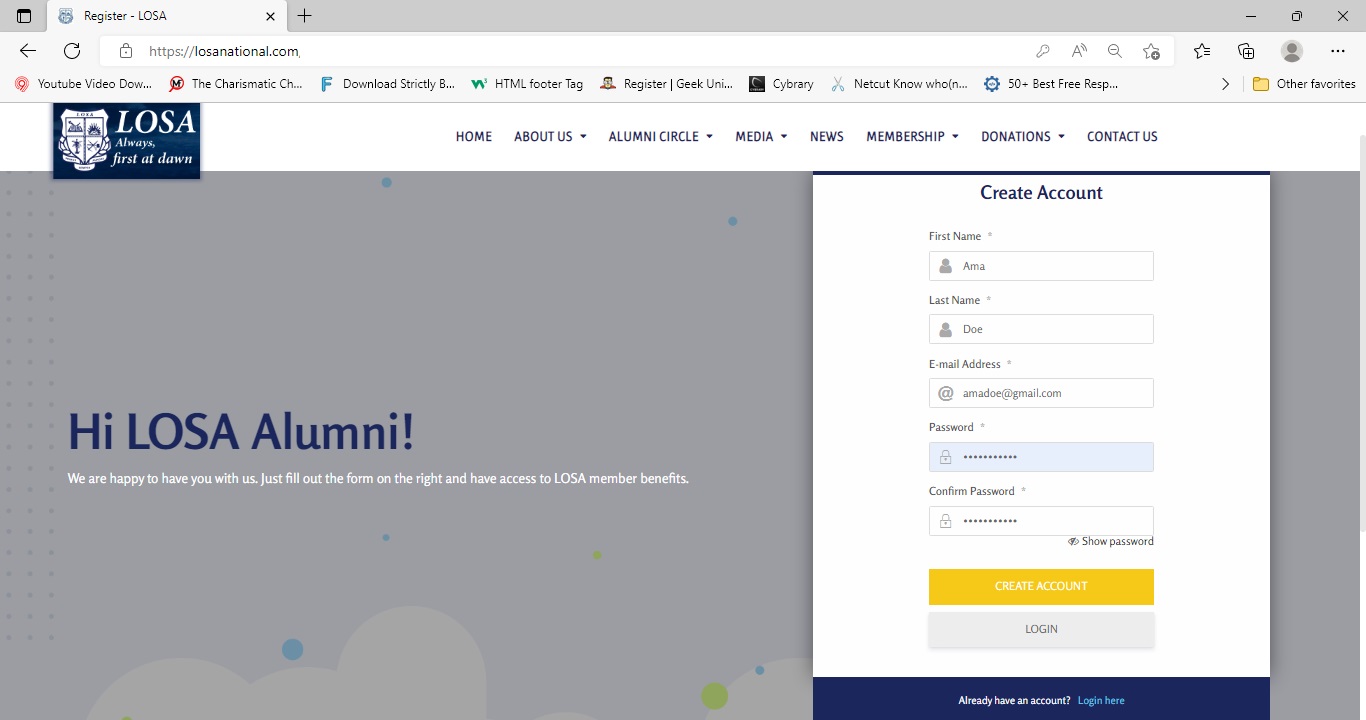
Step 8
Fill out the form with your accurate details and click create account.
Step 9
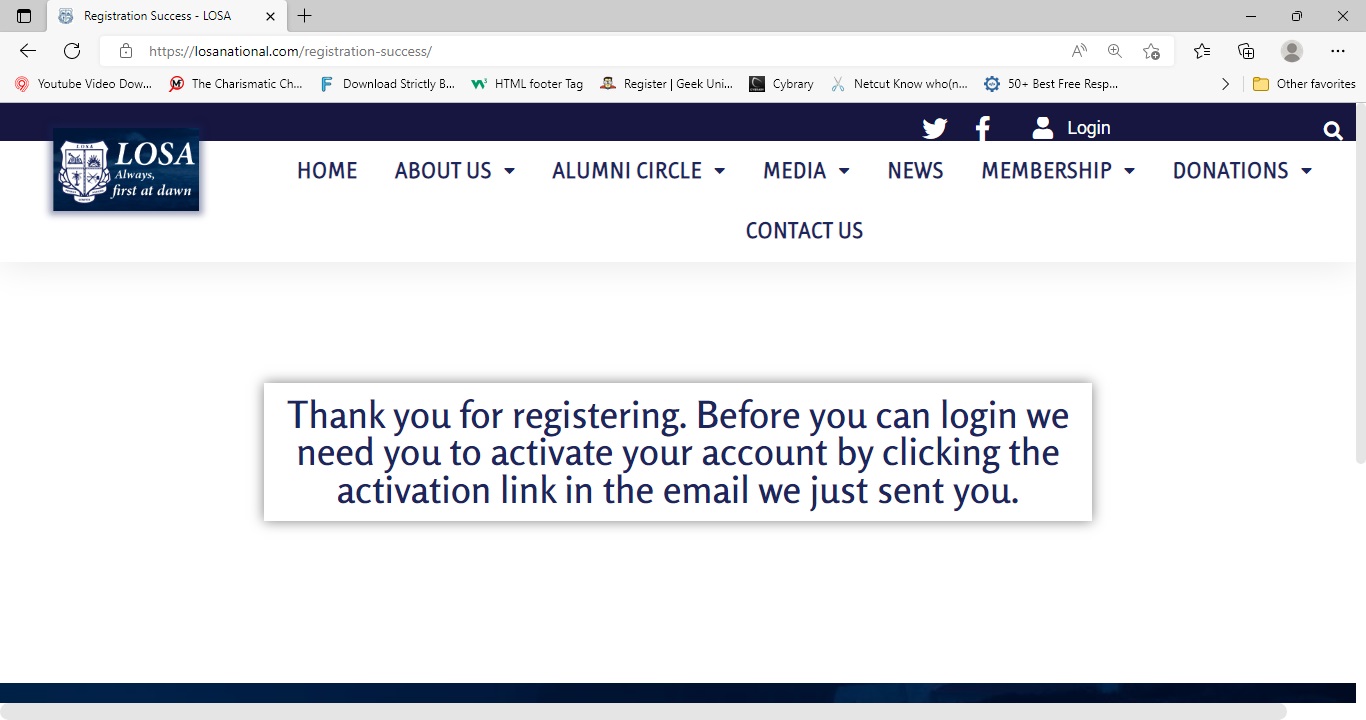
Kindly check your valid email provided for your account activation link. Please check your spam if you do not find it in your inbox.
Step 10
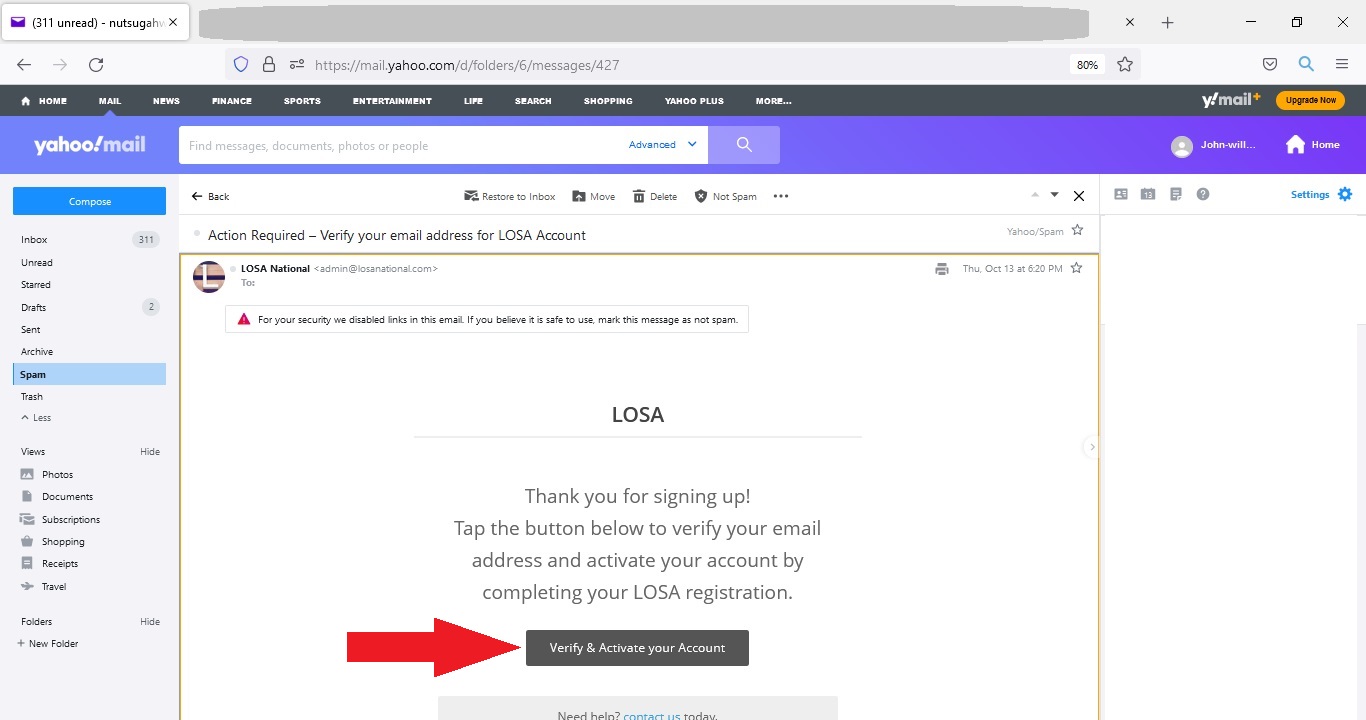
Click on link provided to activate your account. Please check your SPAM/JUNK/BULK folder in your email if you do not find it in your inbox.
Step 11
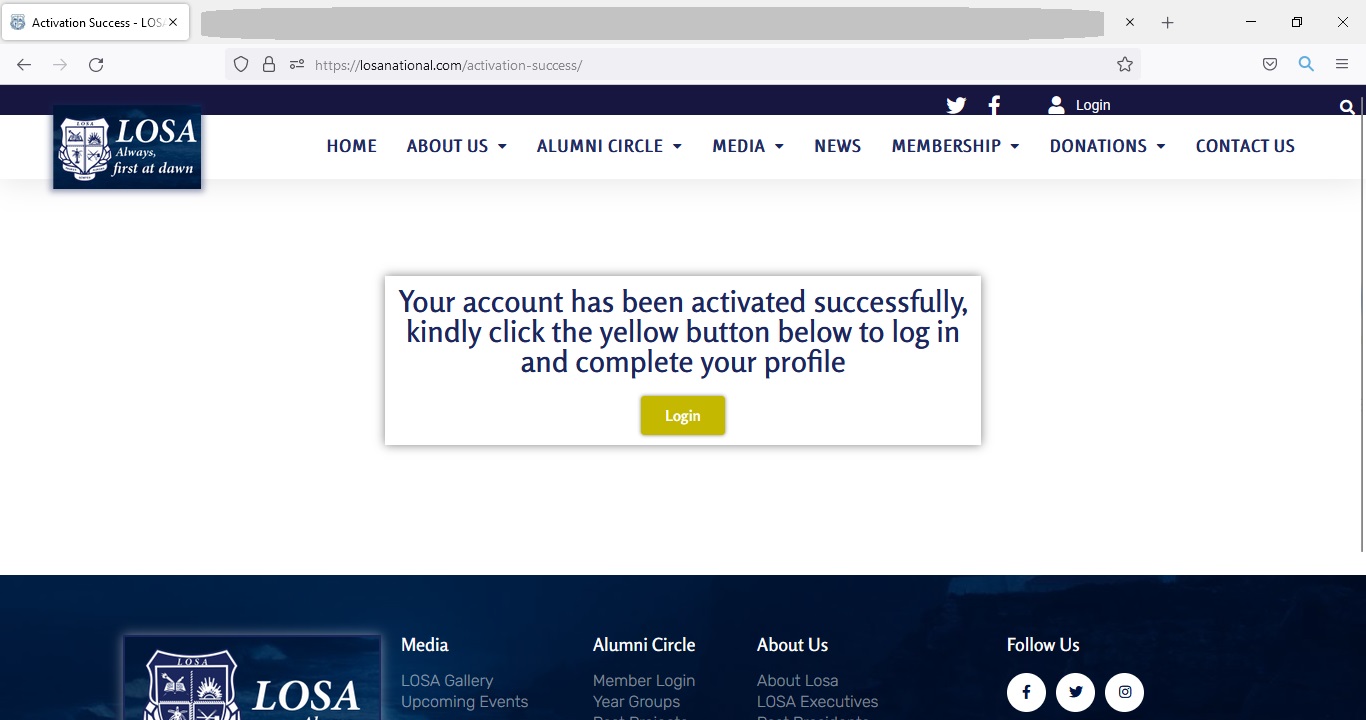
Click on the 'login button' to login and complete your profile.
Step 12
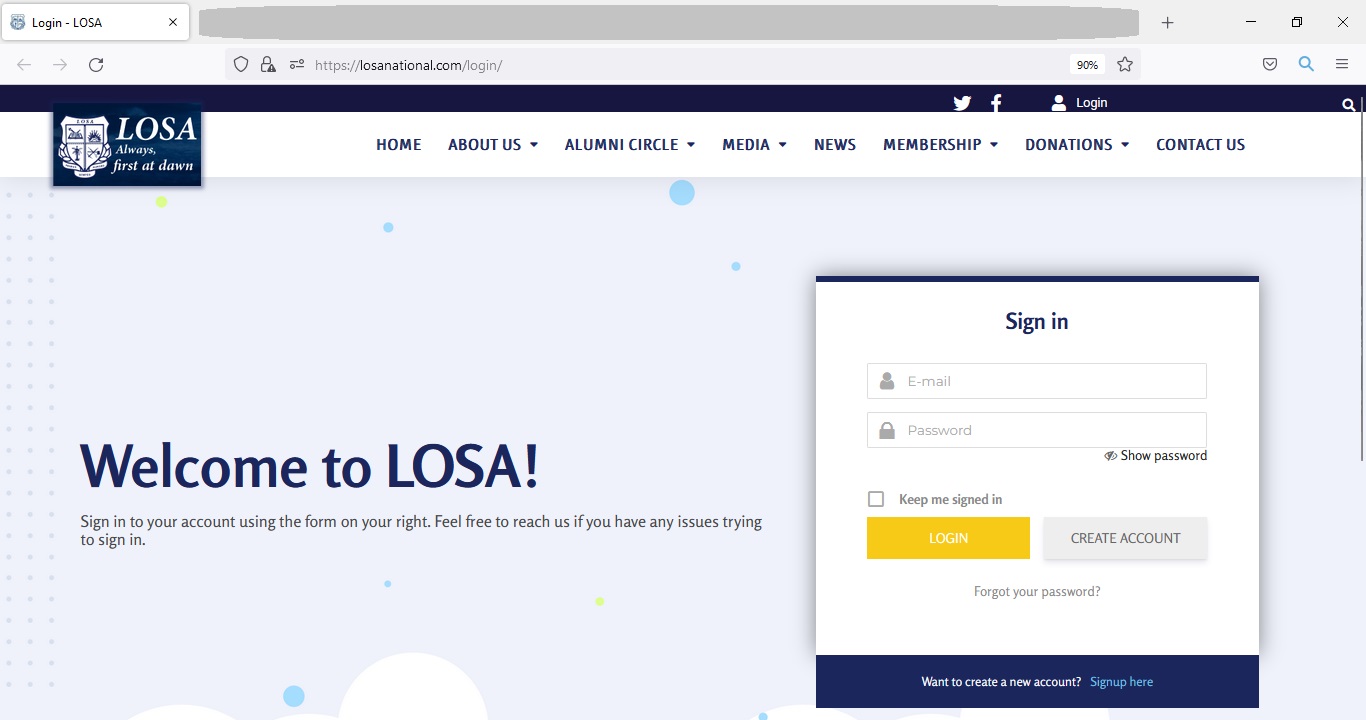
Fill in your valid details and click 'login' to access your LOSA member dashboard and complete your profile.
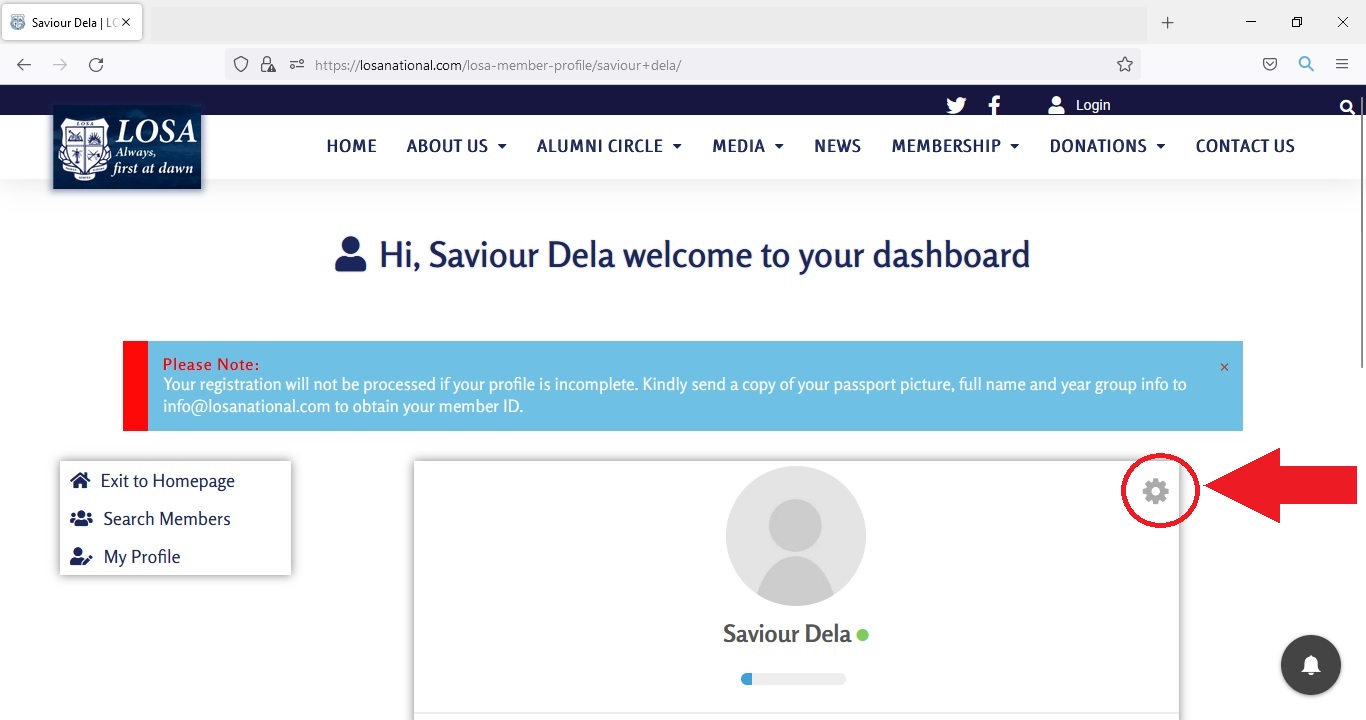
Step 13
After successful login, go to the gear button at the top right of your profile, and click on "Edit Profile" to edit your profile. After filling out the forms click "Update Profile" to save your information.
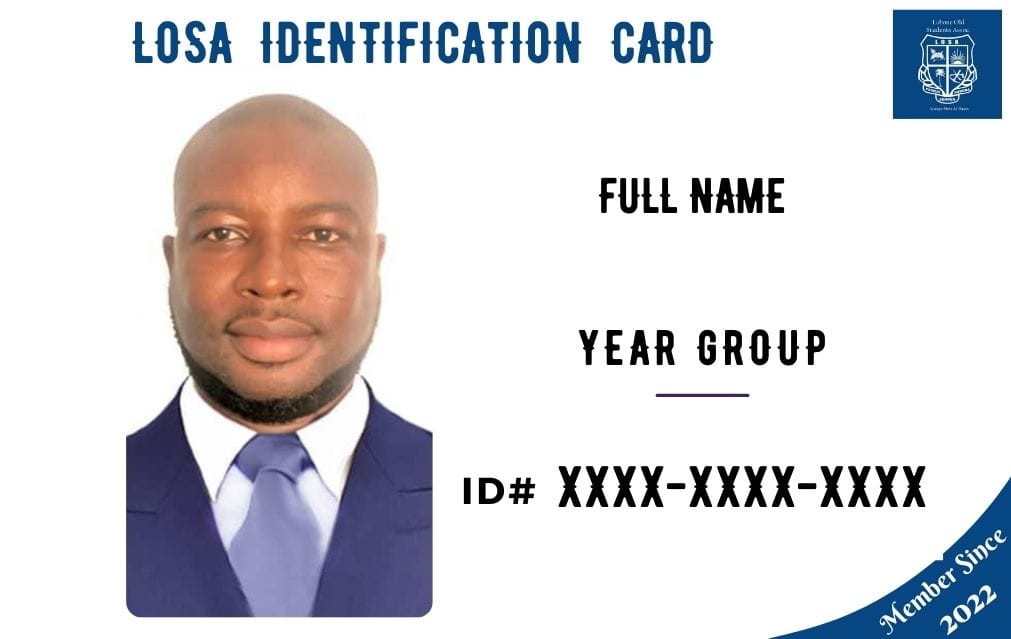
Step 14
Send your PASSPORT PHOTO, FULL NAME and YEAR GROUP to info@losanational.com. Once your information has been verified, that info will be used to create your LOSA Membership Card and emailed to you. ID cards are issued within a week. Once you receive it, complete the Member ID section in your profile. Your profile needs to be fully completed and at 100% for your registration to be activated.